Why I Store LeetCode and Codeforces Solutions on GitHub
Learn how organizing LeetCode and Codeforces solutions on GitHub helps with revision, interview preparation, competitive programming, and long-term learning.
Why Solving Problems Was Not Enough
When I first started using LeetCode and Codeforces, my goal was simple: solve more problems. Every accepted solution felt like progress. I would solve a question, submit my code, see the accepted status, and move on to the next problem.
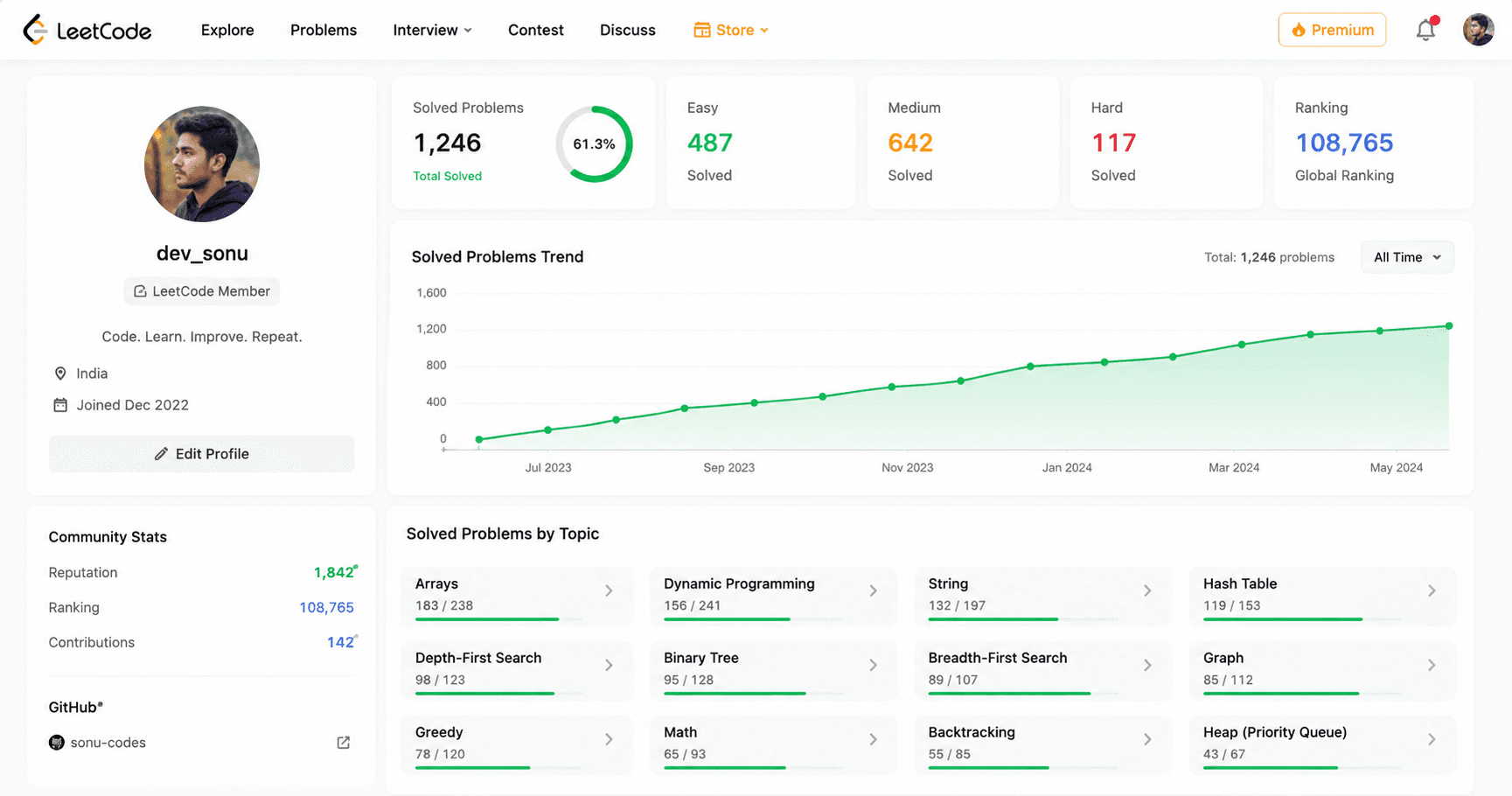
After a few months, I noticed something strange. My profile showed a growing number of solved problems, but I could not remember how I had solved many of them. When revisiting an old question, I often spent several minutes trying to understand my own code and the logic behind it.
This became a bigger problem during revision. Topics such as Arrays, Binary Search, Graphs, and Dynamic Programming require regular practice and review. Although I had solved many questions, finding a specific solution or revisiting a particular technique was not easy because everything was scattered across different platforms.
I realized that solving a problem and learning a problem are not the same thing. Solving helps you complete a challenge, but learning requires you to revisit the solution, understand the approach, and remember the key idea behind it.
Another issue was that online coding platforms mainly focus on submissions, rankings, and statistics. They are great for practice, but they do not help you organize your knowledge in a way that makes future revision easier.
That was the point when I started looking for a better way to store, organize, and revisit my solutions instead of treating them as code that I would never open again.
My Repository Became Hard to Manage
At first, I did not think much about organizing my solutions. Whenever I solved a problem, I simply saved the code and moved on. Since the number of solved questions was small, finding an old solution was never a problem.
As time passed, the repository started growing. What began with a few files slowly turned into dozens and then hundreds of solutions. Problems from different topics, platforms, and difficulty levels were mixed together without any clear structure.
When I wanted to revise a topic such as Binary Search or Dynamic Programming, I had to spend extra time searching through folders and files. Sometimes I remembered the problem but could not remember where I had saved it. Other times, I found multiple files with similar names and had to open each one to locate the correct solution.
The lack of organization also made it difficult to track my progress. I could see that I was solving more questions, but I could not easily tell which topics I had practiced the most and which areas still needed improvement.
Another challenge appeared when I wanted to share my repository with friends or recruiters. The code was there, but the structure was confusing. Without proper folders, descriptions, or documentation, it was difficult for someone else to understand what the repository contained.
I realized that a repository is not just a place to store code. It should help you find solutions quickly, review important concepts, and understand your learning journey over time. Without a clear structure, even a repository full of useful solutions can become difficult to manage.
Why I Started Using a GitHub Repository for LeetCode Solutions
Once my collection of solutions started growing, I needed a better way to manage everything. Keeping files on my computer worked for a while, but it became difficult to access them across different devices, keep track of changes, and maintain a consistent structure.
That is when I started using GitHub as the main place to store my coding solutions. Instead of having files scattered across folders, I could keep everything in a single repository that was accessible whenever I needed it.
One of the biggest advantages was that GitHub encouraged better organization. I could create separate folders for different platforms, topics, or difficulty levels. This made it much easier to find an old solution when revising a concept or preparing for an interview.
GitHub also helped me track my progress over time. Every new solution became part of a growing collection of work. Looking back at older code allowed me to see how my problem-solving skills and coding style had improved.
Another benefit was accessibility. Whether I was using my laptop, a college computer, or another device, my repository was always available. I no longer had to worry about losing files because everything was stored in one place.
I also found that maintaining a public repository made my learning journey more visible. Friends could explore solutions, discuss different approaches, and share feedback. In some cases, recruiters and other developers could quickly understand what topics I had worked on and how I approached problems.
Over time, GitHub became more than a backup for my code. It became a personal library of algorithms, data structures, and problem-solving techniques that I could revisit whenever needed.
How to Organize LeetCode Solutions on GitHub
When I first started using GitHub for my leetcode-solutions, I stored every solution in a single folder. It worked for a short time, but as the number of solved algorithm-problems increased, finding a specific question for coding-interview preparation became more difficult.
To make revision easier, I started organizing solutions into folders based on topics. Questions related to Arrays, Strings, Linked Lists, Trees, Graphs, and Dynamic Programming were placed in separate directories. This made it much easier to focus on a single topic during practice sessions.
I also began using clear file names instead of random numbers or shortened titles. A descriptive file name helps identify a problem quickly without opening the code. When revisiting old solutions, this small change saved a surprising amount of time.
For important questions, I added short notes explaining the main idea behind the solution. These notes were not long tutorials. They simply captured the key concept, optimization, or trick that helped solve the problem. During revision, reading these notes was often faster than reading the entire code again.
Another habit that helped was keeping a consistent structure throughout the repository. Every new solution followed the same format, making the repository easier to navigate as it continued to grow.
A well-organized repository turns a collection of solutions into a useful learning resource. Instead of searching through dozens of files, I could quickly find a topic, review previous approaches, and continue learning from problems I had already solved.
How I Organize My Codeforces Solutions
Although LeetCode and Codeforces both involve problem solving, I found that organizing their solutions requires a slightly different approach. LeetCode is usually topic-focused, while Codeforces is heavily connected to contests, ratings, and problem difficulty.
For Codeforces, I prefer organizing solutions by contest or problem rating. This makes it easier to review questions from a specific contest or revisit problems that match my current skill level.
When preparing for contests, I often go back and solve similar problems again. Having solutions grouped by rating helps me quickly find questions that are neither too easy nor too difficult. It also makes it easier to track how my problem-solving ability improves over time.
I also keep the original problem number and problem title in the file name whenever possible. Codeforces has thousands of problems, and clear names make searching much easier when revisiting old solutions.
For difficult problems, I add a short explanation about the main observation or algorithm used in the solution. Many Codeforces questions depend on finding a key insight. Months later, that insight can be easy to forget, so writing a few notes helps during revision.
Another thing I like about maintaining a Codeforces repository is that it creates a record of my contest journey. Looking through older solutions reminds me of the challenges I faced and the techniques I learned while improving my rating.
Whether the repository is organized by contests, ratings, or topics, the goal remains the same: make future revision faster and keep valuable solutions easy to find.
Why I Add Notes With My Solutions
For a long time, I only saved the code. If a solution was accepted, I considered the job done. Later, when I revisited some of those problems, I realized that the code alone was not always enough to understand what I was thinking at the time.
Some solutions looked familiar, but I could not immediately remember the key idea that made them work. In a few cases, I had to spend more time understanding my old solution than it would have taken to solve the problem again from scratch.
That is why I started adding small notes alongside important solutions. These notes are usually very simple. I write down the main observation, the algorithm used, or the reason a particular approach works better than another.
For example, instead of only storing a Binary Search solution, I might add a short note explaining what condition was being searched for. For a Dynamic Programming problem, I may write down the state definition or the transition that took me the longest to understand.
The goal is not to create detailed tutorials for every question. The goal is to leave enough information so that my future self can quickly understand the solution without starting from zero.
These notes have become especially useful during revision. Before contests, interviews, or practice sessions, I can review important concepts much faster because the key ideas are already written down next to the code.
Over time, I noticed that the combination of code and notes is far more valuable than code alone. The solution shows what worked, while the notes help me remember why it worked.
What Changed After One Year
After maintaining my repository for about a year, I noticed a clear difference in the way I learned and revised coding problems. Earlier, I would solve a question, move on, and rarely look at it again. Now, I had a collection of solutions, notes, and explanations that I could revisit whenever needed.
Revision became much faster because I no longer had to search through different platforms to find a specific problem. Everything was available in one place and organized in a way that made sense to me.
I also became more aware of my strengths and weaknesses. Looking through my repository showed which topics I practiced frequently and which areas needed more attention. This made it easier to plan future learning goals.
Another benefit was confidence. When preparing for interviews, contests, or exams, I knew that I had a record of my previous work. Instead of starting from scratch, I could build on what I had already learned.
The biggest lesson was that a repository is not just a storage space for code. Over time, it becomes a personal learning archive that grows alongside your programming skills.
Why a Good README is Important for Your GitHub Portfolio
When I first created my repository, I did not pay much attention to the README file. I thought people would simply open the folders and browse the code. As the repository grew, I realized that finding information was becoming harder, even for me.
A good README acts like a starting point for the entire repository. Instead of opening multiple folders to understand what is inside, I can quickly see the purpose, structure, and contents of the repository from a single page.
For repositories that contain hundreds of coding problems, a README becomes even more useful. It can provide links to important folders, explain how solutions are organized, and make navigation much easier.
I also found that a well-structured README creates a better experience for anyone visiting the repository for the first time. Whether it is a friend, classmate, recruiter, or another developer, they can understand the repository without spending time exploring every directory.
Another advantage is that documentation encourages consistency. When I update the repository regularly, the README helps me maintain the same structure and keeps everything organized as the collection continues to grow.
The challenge is that writing and maintaining a README manually can become repetitive. Every time the repository structure changes, the documentation often needs to be updated as well. For large repositories, this can take more time than expected.
That is why I started paying more attention to documentation instead of treating it as an optional task. The code may be the most important part of a repository, but a good README helps people understand and navigate that code much more easily.
Problems I Faced While Managing My Repository
Building a repository was helpful, but it was not completely effortless. As the number of solutions increased, I started running into small problems that became more noticeable over time.
One of the biggest challenges was keeping everything organized. It is easy to create a clean structure when you have twenty solutions. It becomes much harder when that number grows to hundreds. New folders, new topics, and new platforms can quickly make a repository feel cluttered if you are not careful.
Another issue was consistency. Sometimes I would add detailed notes for a problem, while other times I would save only the code. A few weeks later, the repository would contain different formats and styles, making it less organized than I originally planned.
Keeping documentation updated was another challenge. Every time I changed the folder structure or added a large number of solutions, the README needed updates as well. If I postponed those updates, the documentation slowly became outdated.
I also noticed that naming files consistently required discipline. A repository becomes much easier to search when every solution follows a clear naming pattern. However, maintaining that pattern after solving hundreds of problems is not always easy.
There were also times when I spent more time organizing the repository than actually solving problems. Finding the right balance was important. The repository should support learning, not become another task that takes attention away from coding practice.
Over time, I learned that a repository does not need to be perfect. It only needs to be organized enough that you can quickly find solutions, review concepts, and continue learning without unnecessary friction.
Tools That Help Me Save Time: README Generators
As my repository continued to grow, I realized that some tasks were becoming repetitive. Solving problems was still the main activity, but organizing folders, updating documentation, and maintaining a clean structure started taking extra time.
Instead of doing everything manually, I began using simple tools to handle repetitive work. Even small improvements can save a surprising amount of time when a repository contains dozens or hundreds of solutions.
One tool that I found particularly useful was a README generator. Writing documentation from scratch every time can be tedious, especially when the repository structure changes frequently. An AI README generator can create a clean starting point and reduce the amount of manual editing required, saving you hours of work. You can explore more options in our developer tools.
I also like using file tree generators when sharing repository structures. A visual representation of folders and files makes it easier for others to understand how the repository is organized without opening every directory.
For larger repositories, search features and consistent naming conventions are just as important as the tools themselves. A good structure allows you to find solutions quickly and spend more time learning instead of searching through folders.
The goal of these tools is not to replace learning or problem solving. They simply remove repetitive tasks so that more time can be spent practicing algorithms, understanding concepts, and solving new challenges.
Over time, I found that even a few small tools could make maintaining a coding repository much easier and more enjoyable.
Benefits of Maintaining a Coding Repository
After maintaining my repository for some time, I started noticing benefits that went beyond simply storing code. What began as a place to save solutions gradually became a valuable learning resource.
One of the biggest advantages is faster revision. Instead of searching through coding platforms, I can quickly open my repository, find a topic, and review previously solved problems. This is especially useful before interviews, contests, or exams.
A repository also helps track long-term progress. Looking through older solutions shows how my coding style, problem-solving skills, and understanding of algorithms have improved over time.
Another benefit is better organization. When solutions are grouped by topic, contest, or difficulty level, it becomes much easier to identify strengths and areas that need more practice.
I have also found that maintaining notes and documentation improves knowledge retention. Revisiting a solution with a short explanation is often much faster than trying to understand the entire code again from the beginning.
For students and job seekers, a repository can also serve as a portfolio of work. It provides a clear record of the problems solved, the concepts learned, and the effort invested in improving programming skills. If you are looking to contribute to other projects to build your portfolio further, an Open Source Finder can help you discover new challenges.
Another advantage is easy sharing. Whether discussing solutions with friends, collaborating on projects, or seeking feedback from other developers, a well-organized repository makes communication much simpler.
Most importantly, a repository helps turn individual coding problems into a structured learning journey. Instead of treating every solved question as a separate achievement, you build a collection of knowledge that becomes more useful with time.
Should You Create a Repository for Coding Problems?
If you regularly solve problems on LeetCode, Codeforces, or other coding platforms, creating a repository is definitely worth considering. You do not need hundreds of solutions before getting started. Even a small collection of well-organized problems can be useful in the future.
A repository gives you a single place to store your work, review important concepts, and track your learning progress. Instead of relying entirely on memory, you create a record of the approaches, algorithms, and techniques you have learned along the way.
The good news is that your repository does not need to be perfect. Many developers spend too much time trying to create the ideal folder structure before they even begin. In reality, it is better to start simple and improve the organization as the repository grows.
You can organize solutions by topic, difficulty, contest, or any structure that makes sense for your learning style. The most important thing is consistency. A simple structure that you maintain regularly is often more useful than a complex structure that becomes difficult to manage.
Adding short notes, meaningful file names, and basic documentation can make a significant difference when revisiting old solutions. Small habits like these become more valuable as the number of solved problems increases.
Whether your goal is interview preparation, competitive programming, or simply improving your programming skills, a repository can help you get more value from the time you spend solving problems.
The earlier you start organizing your solutions, the easier it becomes to manage them in the future.
LeetCode and Codeforces Are Not the Same
When I first started competitive programming, I assumed that LeetCode and Codeforces were almost identical. Both platforms involve solving coding problems, but after spending time on each one, I realized they serve different purposes.
LeetCode feels more structured and beginner-friendly. Most people use it to prepare for technical interviews. Problems are organized by topics such as Arrays, Trees, Graphs, and Dynamic Programming, making it easier to focus on a specific area and practice systematically.
Codeforces has a different experience. The platform is heavily focused on competitive programming contests. Instead of preparing for interviews, you are often trying to solve problems quickly under time pressure while competing against other programmers.
Another difference is the way progress is measured. On LeetCode, people usually track the number of solved problems and the topics they have mastered. On Codeforces, many programmers pay close attention to their rating, which changes based on contest performance.
I also noticed that Codeforces problems often require discovering a key observation or trick before the solution becomes clear. LeetCode certainly has challenging questions, but many of them are designed to teach or test specific algorithms and data structures.
Because of these differences, I organize solutions from the two platforms differently. My LeetCode solutions are usually grouped by topic, while my Codeforces solutions are often organized by contest or rating range.
In the end, neither platform is better than the other. LeetCode is excellent for learning algorithms and preparing for interviews, while Codeforces is great for improving problem-solving speed and gaining experience in competitive programming. Using both has helped me become a more well-rounded programmer.
| Feature | LeetCode | Codeforces |
|---|---|---|
| Main Focus | Interview preparation | Competitive programming |
| Learning Style | Topic-based practice | Contest-based practice |
| Popular Topics | DSA, Interview Questions | Algorithms, Math, Competitive Programming |
| Difficulty System | Easy, Medium, Hard | Rating-based (800–3500+) |
| Contests | Available but less central | Core part of the platform |
| Progress Tracking | Solved problems and badges | Contest rating and rank |
| Best For | Software engineering interviews | Competitive programming skills |
| Repository Organization | Usually by topic | Usually by contest or rating |
Final Thoughts
When I started solving coding problems, I only focused on getting accepted solutions. Over time, I realized that the real value was not just in solving problems but in being able to revisit them, learn from them, and build on that knowledge later.
Maintaining a repository helped me organize my solutions, keep track of important concepts, and make revision much easier. It turned a collection of code files into a resource that I could continue learning from long after a problem was solved.
Whether you use LeetCode, Codeforces, or any other coding platform, taking a few minutes to organize your work can save a lot of time in the future. A well-maintained repository is not just a storage space for code. It is a record of your learning journey and a reflection of the progress you make as a programmer.